Podporte Bradleyho Manninga

Pametate na Wikileaks? Na zverejnenie takmer 400 000 vojenskych sprav z Iraku? Pametate na toto video?

Ak ano navstivte http://pardon.bradleymanning.org/ , po jeho odsudeni na 35 rokov je toto posledna sanca ako mu vzdat hold!

Prehlad o vytazeni databazy, v kocke

set serveroutput on
declare 
cursor c1 is select version
from v$instance;
cursor c2 is
    select
          host_name
       ,  instance_name
       ,  to_char(sysdate, 'HH24:MI:SS DD-MON-YY') currtime
       ,  to_char(startup_time, 'HH24:MI:SS DD-MON-YY') starttime
     from v$instance;
cursor c4 is
select * from (SELECT count(*) cnt, substr(event,1,50) event
FROM v$session_wait
WHERE wait_time = 0
AND event NOT IN ('smon timer','pipe get','wakeup time manager','pmon timer','rdbms ipc message',
'SQL*Net message from client')
GROUP BY event
ORDER BY 1 DESC) where rownum <6;
cursor c5 is
select round(sum(value)/1048576) as sgasize from v$sga;
cursor c6 is select round(sum(bytes)/1048576) as dbsize
from v$datafile;
cursor c7 is select 'top physical i/o process' category, sid,
       username, total_user_io amt_used,
       round(100 * total_user_io/total_io,2) pct_used
from (select b.sid sid, nvl(b.username, p.name) username,
             sum(value) total_user_io
      from v$statname c, v$sesstat a,
           v$session b, v$bgprocess p
      where a.statistic# = c.statistic#
      and p.paddr (+) = b.paddr
      and b.sid = a.sid
      and c.name in ('physical reads', 'physical writes',
                     'physical reads direct',
                     'physical reads direct (lob)',
                     'physical writes direct',
                     'physical writes direct (lob)')
      and b.username not in ('SYS', 'SYSTEM', 'SYSMAN', 'DBSNMP')
      group by b.sid, nvl(b.username, p.name)
      order by 3 desc),
     (select sum(value) total_io
      from v$statname c, v$sesstat a
      where a.statistic# = c.statistic#
      and c.name in ('physical reads', 'physical writes',
                       'physical reads direct',
                       'physical reads direct (lob)',
                       'physical writes direct',
                       'physical writes direct (lob)'))
where rownum < 2
union all
select 'top logical i/o process', sid, username,
       total_user_io amt_used,
       round(100 * total_user_io/total_io,2) pct_used
from (select b.sid sid, nvl(b.username, p.name) username,
             sum(value) total_user_io
      from v$statname c, v$sesstat a,
           v$session b, v$bgprocess p
      where a.statistic# = c.statistic#
      and p.paddr (+) = b.paddr
      and b.sid = a.sid
      and c.name in ('consistent gets', 'db block gets')
      and b.username not in ('SYS', 'SYSTEM', 'SYSMAN', 'DBSNMP')
      group by b.sid, nvl(b.username, p.name)
      order by 3 desc),
     (select sum(value) total_io
      from v$statname c, v$sesstat a,
           v$session b, v$bgprocess p
      where a.statistic# = c.statistic#
      and p.paddr (+) = b.paddr
 and b.sid = a.sid
      and c.name in ('consistent gets', 'db block gets'))
where rownum < 2
union all
select 'top memory process', sid,
       username, total_user_mem,
       round(100 * total_user_mem/total_mem,2)
from (select b.sid sid, nvl(b.username, p.name) username,
             sum(value) total_user_mem
      from v$statname c, v$sesstat a,
           v$session b, v$bgprocess p
      where a.statistic# = c.statistic#
      and p.paddr (+) = b.paddr
      and b.sid = a.sid
      and c.name in ('session pga memory', 'session uga memory')
      and b.username not in ('SYS', 'SYSTEM', 'SYSMAN', 'DBSNMP')
      group by b.sid, nvl(b.username, p.name)
      order by 3 desc),
     (select sum(value) total_mem
      from v$statname c, v$sesstat a
      where a.statistic# = c.statistic#
      and c.name in ('session pga memory', 'session uga memory'))
where rownum < 2
union all
select 'top cpu process', sid, username,
       total_user_cpu,
       round(100 * total_user_cpu/greatest(total_cpu,1),2)
from (select b.sid sid, nvl(b.username, p.name) username,
             sum(value) total_user_cpu
      from v$statname c, v$sesstat a,
           v$session b, v$bgprocess p
      where a.statistic# = c.statistic#
      and p.paddr (+) = b.paddr
      and b.sid = a.sid
      and c.name = 'CPU used by this session'
      and b.username not in ('SYS', 'SYSTEM', 'SYSMAN', 'DBSNMP')
      group by b.sid, nvl(b.username, p.name)
      order by 3 desc),
     (select sum(value) total_cpu
      from v$statname c, v$sesstat a,
           v$session b, v$bgprocess p
      where a.statistic# = c.statistic#
      and p.paddr (+) = b.paddr
      and b.sid = a.sid
      and c.name = 'CPU used by this session')
where rownum < 2;


cursor c8 is select username, sum(VALUE/100) cpu_usage_sec
from v$session ss, v$sesstat se, v$statname sn
where se.statistic# = sn.statistic#
and name like '%CPU used by this session%'
and se.sid = ss.sid
and username is not null
and username not in ('SYS', 'SYSTEM', 'SYSMAN', 'DBSNMP')
group by username
order by 2 desc;
begin
dbms_output.put_line ('Database Version');
dbms_output.put_line ('-----------------');
for rec in c1
loop
dbms_output.put_line(rec.version);
end loop;
dbms_output.put_line( chr(13) );
dbms_output.put_line('Hostname');
dbms_output.put_line ('----------');
for rec in c2
loop
     dbms_output.put_line(rec.host_name);
end loop;
dbms_output.put_line( chr(13) );
dbms_output.put_line('SGA Size (MB)');
dbms_output.put_line ('-------------');
for rec in c5
loop
     dbms_output.put_line(rec.sgasize);
end loop;
dbms_output.put_line( chr(13) );
dbms_output.put_line('Database Size (MB)');
dbms_output.put_line ('-----------------');
for rec in c6
loop
     dbms_output.put_line(rec.dbsize);
end loop;
dbms_output.put_line( chr(13) );
dbms_output.put_line('Instance start-up time');
dbms_output.put_line ('-----------------------');
for rec in c2 loop
 dbms_output.put_line( rec.starttime );
  end loop;
dbms_output.put_line( chr(13) );
  for b in
    (select total, active, inactive, system, killed
    from
       (select count(*) total from v$session)
     , (select count(*) system from v$session where username is null)
     , (select count(*) active from v$session where status = 'ACTIVE' and username is not null)


     , (select count(*) inactive from v$session where status = 'INACTIVE')
     , (select count(*) killed from v$session where status = 'KILLED')) loop
dbms_output.put_line('Active Sessions');
dbms_output.put_line ('---------------');
dbms_output.put_line(b.total || ' sessions: ' || b.inactive || ' inactive,' || b.active || ' active, ' || b.system || ' system, ' || b.killed || ' killed ');
  end loop;
  dbms_output.put_line( chr(13) );
 dbms_output.put_line( 'Sessions Waiting' );
  dbms_output.put_line( chr(13) );
dbms_output.put_line('Count      Event Name');
dbms_output.put_line('-----      -----------------------------------------------------');
for rec in c4 
loop
dbms_output.put_line(rec.cnt||'          '||rec.event);
end loop;
dbms_output.put_line( chr(13) );


dbms_output.put_line('-----      -----------------------------------------------------');


dbms_output.put_line('TOP Physical i/o, logical i/o, memory and CPU processes');
dbms_output.put_line ('---------------');
for rec in c7
loop
dbms_output.put_line (rec.category||': SID '||rec.sid||' User : '||rec.username||': Amount used : '||rec.amt_used||': Percent used: '||rec.pct_used);
end loop;


dbms_output.put_line('------------------------------------------------------------------');


dbms_output.put_line('TOP CPU users by usage');
dbms_output.put_line ('---------------');
for rec in c8
loop


dbms_output.put_line (rec.username||'--'||rec.cpu_usage_sec);
dbms_output.put_line ('---------------');
end loop;


end;

archiver stuck

Po vyrieseni archiver stuck stavu databaze moze trochu trvat pokial sa preberie a zisti ze archive_dest je volna… archivacia a skratenie tohto cakania sa da vynutit pomocou

SQL> alter system archive log all;

Dnesny parameter dna znie

kolega dnes nasiel takuto vychytavku.. znacne lepsie ako z cron-u forcovat alter system switch logfile;

ARCHIVE_LAG_TARGET

Property Description
Parameter type Integer
Default value 0 (disabled)
Modifiable ALTER SYSTEM
Range of values 0 or any integer in [60, 7200]
Basic No
Oracle RAC Multiple instances should use the same value.

ARCHIVE_LAG_TARGET limits the amount of data that can be lost and effectively increases the availability of the standby database by forcing a log switch after the specified amount of time elapses.

A 0 value disables the time-based thread advance feature; otherwise, the value represents the number of seconds. Values larger than 7200 seconds are not of much use in maintaining a reasonable lag in the standby database. The typical, or recommended value is 1800 (30 minutes). Extremely low values can result in frequent log switches, which could degrade performance; such values can also make the archiver process too busy to archive the continuously generated logs.


Trace by sqlid v Oracle 11g

alter system set events 'sql_trace [sql:60x3man71byuz] level 12';
alebo
SQL> -- Setting Oracle PID to trace and verify by crossing the result of the system pid
SQL> oradebug setorapid 25
Oracle pid: 25, Unix process pid: 4850, image: oracle@oel (TNS V1-V3)
SQL> -- nolimit to tracefile
SQL> oradebug unlimit
Statement processed.
SQL> -- tracing SQL_Optimizer computation for a specific sql (here's our sql_id)
SQL> oradebug event
SQL> trace[RDBMS.SQL_Optimizer.*][sql:2zg40utr7a08n]
Statement processed.
SQL> -- obtain the trace file name
SQL> oradebug tracefile_name
/u01/app/oracle/diag/rdbms/orcl/orcl/trace/orcl_ora_4850.trc

Oracle Application Server 11g, vytvaranie kontaineru z commandline


$ORACLE_HOME/bin/createinstance –instanceName meno -groupName meno_grupy

raspberry pi, USB a maximalny prud z USB

http://raspberrypi.stackexchange.com/questions/340/how-much-power-can-be-provided-through-usb

https://github.com/raspberrypi/linux/issues/29


Oracle X$ tabulky

  • x$kcbsw kernel cache, buffer statistics why

Note:34405.1 (select kcbwhdes, why0+why1+why2 “Gets”, “OTHER_WAIT” from x$kcbsw s, x$kcbwh w where s.indx=w.indx and s.”OTHER_WAIT”>0 order by 3), Ref1 (“statistics about the way these [x$kcbwh] functions have been used”)

  • x$k2gte Kernel 2-phase commit, Global Transaction Entry

Mark Bobak’s query (originally in Metalink forum thread 524821.994, where he further attributed authorship) uses this table to find sessions coming from or going to a remote database; in short, x$k2gte.k2gtdses matches v$session.saddr, .k2gtdxcb matches v$transaction.addr. It’s more robust than this query, and better than checking for DX locks for outgoing sessions (since a DX lock only shows up in v$lock for the current distributed transaction session).

  • x$kcbbf Kernel Cache, Buffer ?? Ref1 (“_db_handles”)
  • x$kcbfwait kernel cache, buffer file wait

A commonly used query breaks down the contents of v$waitstat into per-datafile statistics: select count, time, name from v$datafile df, x$kcbfwait fw where fw.indx+1 = df.file#

  • x$kcbwait kernel cache, buffer wait
  • x$kcbwds kernel cache, buffer working descriptors
  • x$kcbwh kernel cache, buffer ??

See x$kcbsw for SQL. Ref1 (“different functions that may be used to perform different types of logical I/O”), Ref2

  • x$kcccf kernel cache, controlfilemanagement control file

In 10gR1, to find controlfile size as viewed at OS level but from inside Oracle, select cfnam, (cffsz+1)*cfbsz from x$kcccf. cfbsz is the controlfile log block size; should report the same as the command dbfsize controlfile ($ORACLE_HOME/bin/dbfsize is available on UNIX, regardless Oracle version.) In 10gR2, block size and file size are both in v$controlfile although Reference manual misses them.

  • x$kcccp kernel cache, controlfile checkpoint progress

S. Adams and K Gopalakrishnan use this view to find how much the current redo log is filled.

  • x$kccdi kernel cache, controlfilemanagement database information
  • x$kccle kernel cache, controlfile logfile entry

lebsz may be used to show redo logfile block size, usually 512; should report the same as the command dbfsize redologfile ($ORACLE_HOME/bin/dbfsize is available on UNIX only)

  • x$kcfio kernel cache, file I/O
  • x$kclcrst kernel cache, lock, consistent read statistics

base table of v$cr_block_server or v$bsp, used to troubleshoot global cache cr requests

  • x$kclfh kernel cache, lock file header
  • x$kclfi kernel cache, lock file index
  • x$kcluh kernel cache, lock undo header
  • x$kclui kernel cache, lock undo index
  • x$kcrfx kernel cache, redo file context “columns bfs (buffer size) and bsz (block size). Dividing bfs by bsz gives mxr (the maximum number of blocks to read size)” (from Anjo Kolk’s paper)
  • x$kdxst kernel data, index status used in catalog.sql to create index_stats
  • x$kdxhs kernel data, index histogram used in catalog.sql to create index_histogram
  • x$kghlu kernel generic, heap LRUs
  • x$kglcursor kernel generic, librarycache cursor

Base table for v$sql, v$sqlarea. Fixed view based on x$kglob according to x$kqfdt. See Note 1 or x$kglob for more details. One use of this table is for finding partially parsed SQLs because they cause parse failures (viewable in v$sysstat or v$sesstat). Their kglobt02 (command type) is 0, kglobt09 (child number) is 65535 for the child, SQL text length is cut to 20 chars, kglobt17 and kglobt18 (parsing and user schema) are 0 or 2147483644 (for 32-bit Oracle) depending on if it’s parent or child, and obviously miss heap 6 (cursor body). Find them by select kglnaobj, kglnatim, kglobts0, kglnahsh from x$kglcursor where kglobt02 = 0 (kglobts0 is module; you can further restrict by kglnatim i.e. first_load_time).

  • x$kgllk kernel generic, librarycache lock

Used in catblock.sql to build dba_kgllock. If you get library cache lock or pin wait, kgllkhdl matches v$session_wait.p1raw (handle address), and kglnaobj is the first 80 characters of the object name. Note:122793.1 has this SQL for our convenience: select * from x$kgllk lock_a where kgllkreq = 0 and exists (select lock_b. kgllkhdl from x$kgllk lock_b where kgllkses = ‘&saddr_from_v$session’ /* blocked session */ and lock_a.kgllkhdl = lock_b.kgllkhdl and kgllkreq > 0). Kgllkadr column is shown in event 10270 trace files to find SQLs in session cursor cache (Ref)

  • x$kglob kernel generic, librarycache object

To find library cache object for wait events library cache pin or lock and pipe get or put, match kglhdadr with v$session_wait.p1raw. kglhdflg is partially explained in Note:311689.1 (for permanent keeping). kglhddmk may be data object load mask; can be used to identify the number of the loaded heap, counted from 0 (see comment of 06/12/01 in Bug:1164709). Steve Adams’ objects_on_hot_latches.sql finds the way Oracle links a library cache object (based on kglnahsh) to a specific library cache child latch. x$kglob, and in case of cursors x$kglcursor too, can be used to find library cache objects that are partially built therefore not visible in v$sql(XXX), v$open_cursor, v$object_dependency. (Try typing select *; and enter, then check these views!)

  • x$kglpn kernel generic, librarycache pin

used in catblock.sql to build dba_kgllock

  • x$kglrd kernel generic, librarycache readonly dependency

kglnacnm is PL/SQL program unit or anonymous block while kglnadnm is the individual SQLs inside the PL/SQL unit. (see Ref; see also v$object_dependency, but that doesn’t show relation between PL/SQL block and its contents)

  • x$kglst kernel generic, librarycache status
  • x$kqfco kernel query, fixed table columns x$kqfco.kqfcotab=x$kqfta.indx
  • x$kqfta kernel query, fixed table
  • x$kqfdt kernel query, fixed derived table

acronym explained by Julian Dyke: it contains x$kglcursor, x$kgltable etc. which are based on

  • x$kglob; effectively these are views of other x$ tables, but Oracle couldn’t call them views because they already had x$kqfvi
  • x$kqfp kernel query, fixed procedure used in catprc.sql to build disk_and_fixed_objects view
  • x$kqfsz kernel query, fixed size (size of fixed objects in current version of Oracle)
  • x$kqfvi kernel query, fixed view
  • x$kqfvt kernel query, fixed view table (how fixed view is built on fixed tables)
  • x$ksled, x$kslei, x$ksles kernel service, event definition, events for instance, events for session, respectively (“l” probably means “lock”)
  • x$kslpo kernel service, latch posting

Note:653299 says it “tracks which function is posting smon”. Ksllwnam column (the part before semicolon if it exists) can match v$latch_misses.location to identify the latch that uses this function.

  • x$ksmfs kernel service, memory fixed SGA

also contains db_block_buffers and log_buffer sizes for some reason

  • x$ksmfsv kernel service, memory fixed SGA variables

detailing fixed SGA: select a.ksmfsnam, a.ksmfstyp, a.ksmfssiz, b.ksmmmval from x$ksmfsv a, x$ksmmem b where a.ksmfsadr = b.addr and a.ksmfsnam like… (Ref. p.82, Oracle Internal Services). For a latch, get ksmfsnam by matching x$ksmfsv.ksmfadr with x$kslld.kslldadr. You can see SGA parameters in ksmfsnam column and get their values with oradebug dumpvar varname or all values with oradebug dumpsga

  • x$ksmhp kernel service, memory heap

S. Adams, “What it returns depends on which heap descriptor you join to it. It is effectively a function returning the contents of an arbitrary heap that takes the heap descriptor as its argument.”

  • x$ksmjs kernel service, memory java_pool summary
  • x$ksmlru kernel service, memory LRU

Refer to Metalink Notes 61623.1 and 43600.1 for details. Note that query on this table can only be done once; subsequent query returns no rows unless large chunk shared pool allocations happened in the interim.

  • x$ksmls kernel service, memory large_pool summary
  • x$ksmmem kernel service, memory

Entire SGA memory map. You can find your database version by select ksmmmval from x$ksmmem where indx = 2 (if it’s 64-bit Oracle, try 1), regardless machine architecture endian-ness. Note that the 4 bytes containing the version are delimited as XX.X.XX.X.XX so 09200300 is 9.2.0.3.0. Due to memory guard pages, you can only select from x$ksmmem specifying rownum < some number or indx = some value; otherwise the session may hang or throws ORA-3113 (Windows doesn’t seem to have this problem). indx is SGA index, i.e. SGA address minus sgabeg (which is x$ksmmem.addr where indx = 0) divided by 4 (or whatever the gap is between two addr’s), possibly plus some offset.

  • x$ksmpp kernel service, memory pga heap

PGA heap (variable area)

  • x$ksmsd kernel service, memory sga definition
  • x$ksmsp kernel service, memory sga heap

The 3rd argument of ORA-4031 tells you which section of shared (or java or large) pool is short of memory. It matches x$ksmsp.ksmchcom (or v$sgastat.name).

  • x$ksmspr kernel service, memory shared pool reserved
  • x$ksmss kernel service, memory shared_pool summary

The 3rd argument of ORA-4031 tells you which section of shared (or java or large) pool is short of memory. It matches x$ksmss.ksmssnam (or v$sgastat.name).

  • x$ksmup kernel service, memory uga heap

UGA heap (variable area)

  • x$ksppcv kernel service, parameter, current (session) value

Base table of v$parameter and v$parameter2. See comments on x$ksppi.

  • x$ksppi kernel service, parameter, parameter info

Base table of v$parameter, v$system_parameter and v$system_parameter2. Often used to see undocumented parameters: select a.ksppinm Parameter, a.ksppdesc Description, b.ksppstvl “Session Value”, c.ksppstvl “Instance Value” from x$ksppi a, x$ksppcv b, x$ksppsv c where a.indx = b.indx and a.indx = c.indx and a.ksppinm like ‘\_%’ escape ‘\’ order by 1

  • x$ksppsv kernel service, parameter, system value

Base table of v$system_parameter and v$system_parameter2. See comments on x$ksppi.

  • x$ksqeq kernel service, enqueue en-queue
  • x$ksqrs kernel service, enqueue resource

“shows all outstanding enqueues with an additional flag. It basically shows the same information as the v$lock table.” from Note1, which also gives the meanings of the flags.

  • x$ksqst kernel service, enqueue_management statistics types

Acronym explained by K Gopalakrishnan. You can find how many times each type of enqueue lock has been taken since instance startup by select * from x$ksqst where ksqstget > 0 or in 9i select * from x$ksqst where ksqstsgt > 0 or ksqstfgt > 0. But v$enqueue_stat in 9i can also be used instead.

  • x$ksulv kernel service, user locale value
  • x$ksulop kernel service, user long operation
  • x$ksupr kernel service, user process
  • x$ksuse kernel service, user session
  • x$ktcxb kernel transaction, control object

Base table of v$transaction. 4 bits of ktcxbflg column, exposed as v$transaction.flag, are explained in v$fixed_view_definition. Metalink 238763.996 explains the bit for isolation level. Since v$transaction is empty without a transaction, you can directly query x$ktcxb to find sessions with serializable isolation level: select * from v$session where taddr in (select ktcxbxba from x$ktcxb where bitand(ktcxbflg,268435456) <> 0). Other flags not shown in v$fixed_view_definition are: 1 read write and read committed, 4 read only.

  • x$ktfbfe kernel transaction, file bitmap free extent

Free extent bitmap in file header for LMT (equivalent to fet$ in DMT); check dba_free_space view definition

  • x$ktfbhc kernel transaction, file bitmap ? ?

Summarizes free space with one row per datafile (Ref); check dba_data_files or dba_temp_files view definition

  • x$ktfbue kernel transaction, file bitmap used extent

Used extent bitmap in file header for LMT (equivalent to uet$ in DMT)

  • x$ktuxe kernel transaction, undo transaction entry

Steve Adams says, you “get the SCN of the most recently committed (local) transaction” with select max(ktuxescnw * power(2, 32) + ktuxescnb) from x$ktuxe

  • x$kxfpsds kernel execution, fast process slave dequeue statistics

Current list of reasons for parallel execution dequeuing, as explained for wait event “parallel query dequeue wait” in Anjo Kolk’s paper.

  • x$kzsprv kernel security, session privilege

Session-specific. Base table for v$enabledprivilege, which is base table of session_privs

  • x$kzsro kernel security, session role

used in many SQL scripts in ?/rdbms/admin

  • x$le lock element To find the buffer header in the cache, select a.* from x$bh a, x$le b where a.le_addr = b.addr (from Anjo Kolk’s paper)
  • x$le_stat lock element status
  • x$message (background process) messages

This records (possibly) all actions each background process can do.

  • x$trace Beginning with 9i, x$trace records event tracing info.

select event, count(*) from x$trace group by event shows what events are enabled internally (not shown in v$parameter). oerr ora eventID on UNIX shows the event name. RAC databases should have GES and GCS related events set. select pid, count(*) from x$trace group by pid shows how many events have been trapped by each oracle process (including those that exited). select sid, pid, count(*) from x$trace where (sid, pid) in (select sid, pid from v$session s, v$process p where s.paddr = p.addr) group by sid, pid order by 1, 2 shows the numbers for each currently existing session (I think without the where clause, exited sessions would be included). select event, op, time, seq#, data from x$trace where sid = &sid and pid = &pid order by time shows traced events for a session in question.

  • x$uganco user global area, network connection Base table of v$dblink.

Since it’s about UGA, each session has different content. After you end your distributed transactions (which includes distributed queries) and close database links, v$dblink no longer shows the entries. But x$uganco still has them, with ncoflg set to 8320 and hstflg set to 0. These entries linger even after shared pool flush (or global context flush in 10g).
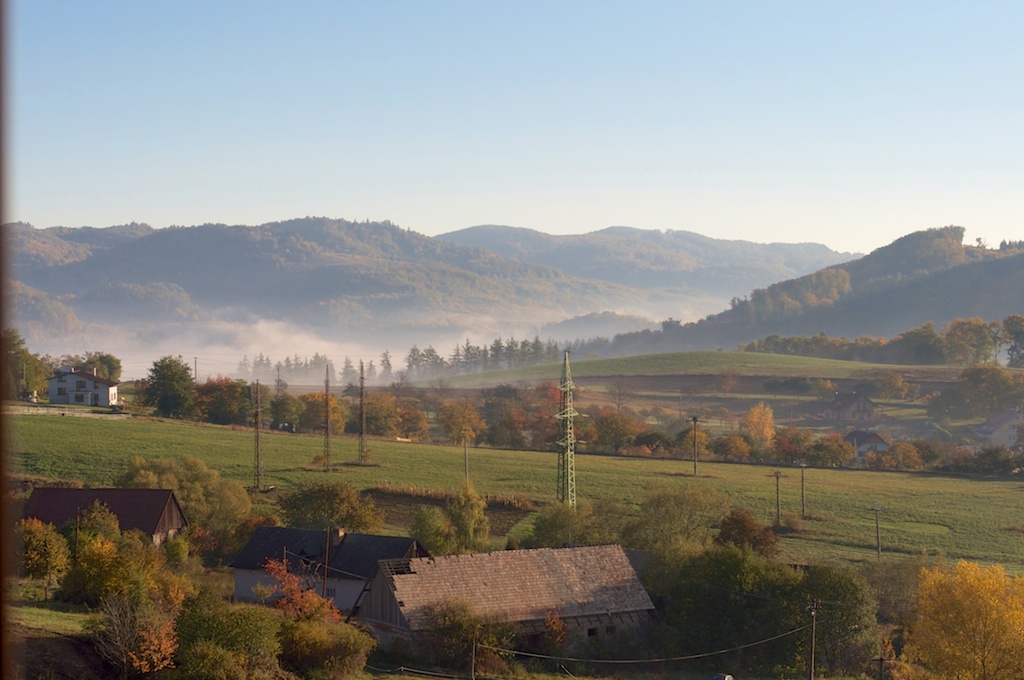

 

Banska Stiavnica

Formatovanie vystupu z sqlplus

Uzitocne v napr. skriptoch

COLUMN
Specifies display attributes for a given column, such as, column heading text, column heading alignment, data format, column data wrapping.
Also lists the current display attributes for a single column or all columns.

Syntax: COLUMN [ {column_name | expr} ] option
COL Lists current display attributes for all column_name currently defined.
COL column_name Lists current display attributes for column_name.
COL expr Lists current display attributes for expr.

ALIAS alias
Assign an alias to a column_name, which can be used by BREAK, COMPUTE, and other COLUMN commands. Example: COL em_salary+em_bonus ALIAS tot_income
CLEAR
Resets the display attributes for the column_name to default values. To reset the attributes for all column_name s, use the CLEAR COLUMNS command. CLEAR COLUMNS also clears the display attributes for that column_name.
FOLD_AFTER
Inserts a carriage return after the column heading and after each row in the column. SQLPlus does not insert an extra carriage return after the last column in the SELECT list.
FOLD_BEFORE
Inserts a carriage return before the column heading and before each row of the column. SQLPlus does not insert an extra carriage return before the first column in the SELECT list.
FORMAT format_model
Specifies the display format_model of the column. The format_model specification must be a text constant such as A10 or $9,999–not a variable. Example: COL emp_name FOR A15
HEADING text
Defines a column heading to text. If HEADING is not used, the column’s heading defaults to column_name or expr. If text contains blanks or punctuation characters, it must be enclosed with single or double quotes. Each occurrence of the HEADSEP character (by default, | (pipe) ) begins a new line. Example: COL last_name HEADING ‘Employee | Name’ produces a two-line column heading.
JUSTIFY {LEFT | CENTER | RIGHT}
Aligns the heading, not data. Without the JUSTIFY clause, headings for NUMBER columns default to RIGHT and headings for other column types default to LEFT.
LIKE {expr | alias}
Copies the display attributes of another column_name or expr (whose attributes which have already been defined with another COLUMN command). LIKE copies only attributes not defined by another clause in the current COLUMN command.
NEWLINE
Starts a new line before displaying the column’s value. NEWLINE has the same effect as FOLD_BEFORE.
NEW_VALUE variable
Specifies a variable to hold a column_name value. This variable can be referenced in the variable in TITLE commands. Use NEW_VALUE to display column values or the date in the top title.
NOPRINT | PRINT
Controls the printing of the column (the column heading and all the selected values). NOPRINT turns off the screen output and printing of the column. PRINT turns the printing of the column on.
NULL text
Replace a null value with ‘text’. The NULL clause of the COLUMN command overrides the SET NULL clause for a given column.
OLD_VALUE variable
Specify a variable to hold a column value. (see BTITLE)
ON | OFF
Controls the status of display attributes for a column. OFF disables the attributes for a column without affecting the attributes’ definition. ON reinstates the attributes.
WRAPPED | WORD_WRAPPED | TRUNCATED
Specifies how to treat long CHAR strings. WRAPPED wraps string within the column bounds, begins new lines when required. WORD_WRAP is enabled, SQLPlus left justifies each new line, skipping all leading whitespace (for example, returns, newline characters, tabs and spaces), including embedded newline characters.